
See how gateways work, what they cost, and how to choose one.
Payment processing systems move payment details between a customer, a business, and financial institutions. They check whether a payment can be approved, then help move the funds to the business. The system may support card payments, digital wallets, and other payment methods.
Several parties have distinct roles. The issuer is the bank or firm that gave the customer their card. The acquirer is the bank or provider that handles card payments for the business. A merchant account is the account used to receive card funds before they reach the business’s bank account.
A payment processor sends payment data between these parties. A payment gateway securely collects and passes payment details, often for online sales. One provider may offer both services, but the terms describe different jobs. Banking payment processing systems often connect banks, card networks, and business payment tools.
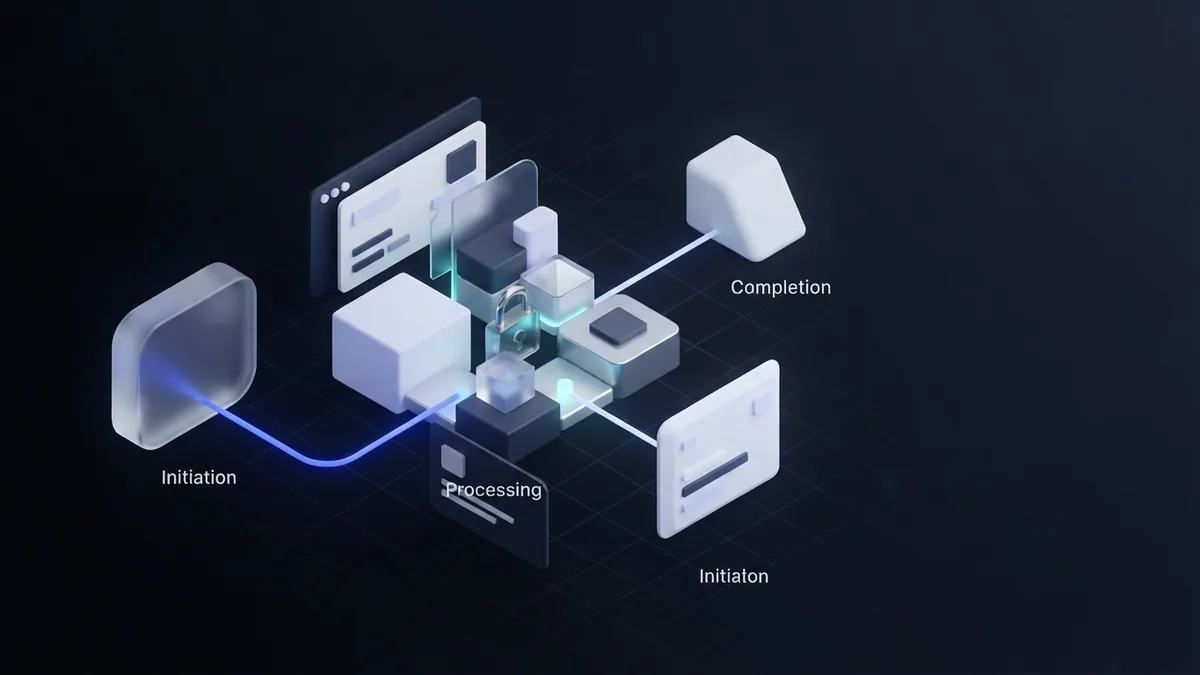
At checkout, the customer enters card details or taps a device. The payment tool sends the request through the processor and card network to the issuer. The issuer checks the account, available funds, and signs of fraud. It then approves or declines the payment.
An approval is not the same as money arriving in the business’s bank account. The business submits approved payments for settlement, which is the transfer of funds through the payment chain. The acquirer then pays the business, often after deducting fees. Timing varies by provider, payment type, and risk review.
For example, a customer might pay $50 online. The issuer approves the charge in seconds, while the business receives its net funds later. Refunds, disputes, and reserve rules can affect the final amount or timing. Keep approval and settlement records separate when checking sales.
In-store systems use a point-of-sale terminal to accept chip, tap, or swipe payments. Chip and contactless payments reduce the need to expose card details. Businesses also need a stable connection and a plan for outages.
Online systems support websites, apps, subscriptions, and e-commerce payment systems. A hosted checkout can reduce the amount of payment data a business handles. A connected checkout may offer more control, but it can add security and upkeep work.
Mobile payment processing systems let a phone or small reader accept payments away from a fixed till. They suit markets, delivery, field service, and pop-up shops. Some systems also accept digital wallets, so customers can pay with a phone or watch.
Many providers combine these options under one account. That can simplify reports and refunds across channels. Still, check whether online and in-person sales share one rate, one support team, and one view of disputes.
| System type | Best fit | Check before choosing |
|---|---|---|
| In-store | Shops and service counters | Terminal cost, connectivity, and tap support |
| Online | Web shops and subscriptions | Checkout fit, fraud tools, and recurring billing |
| Mobile | Field sales and events | Reader cost, battery life, and network coverage |
Payment costs can include a percentage of each sale, a fixed charge, or both. A provider might also charge for monthly service, equipment, chargebacks, or cross-border payments. Rates differ, so compare the full fee schedule rather than one advertised rate.
Three common pricing models are interchange-plus, flat-rate, and tiered pricing. Interchange-plus separates the card network cost from the provider’s markup. Flat-rate pricing applies a set rate to many payments. Tiered pricing groups payments into bands, which can make the final cost harder to predict.
Ask for a sample bill using your own sales mix. Include average sale size, card types, online versus in-store volume, refunds, and international sales. A small fixed fee matters more when many low-value payments are made. A percentage fee matters more as sales grow.
Start with the ways customers pay and where sales happen. A shop with a web store may need one provider for terminals and online checkout. A contractor may care more about mobile readers, invoices, and quick fund transfers. Write down the must-have features before comparing providers.
Next, check security, service, and fit with your existing tools. PCI compliance means meeting payment card security rules. The PCI Security Standards Council publishes the PCI Security Standards, the core source for card data security requirements. Tokenization replaces card details with a substitute value, which can lower exposure if other systems are breached.
Compare support hours, dispute tools, reporting, and how quickly funds arrive. Check if the provider connects with your accounting or sales software. Ask how it handles suspected fraud and account holds. The best payment processing systems fit your sales and risk needs, not just your headline rate.

Mobile payments matter because customers expect to tap a card or device in more places. For a business, a mobile reader can reduce queues and support sales at a customer’s location. Choose a device with reliable battery life, clear network needs, and a safe way to pair with your phone.
Mobile acceptance still needs sound security. Lock staff devices, limit account access, and keep payment apps current. Ask whether a provider supports offline payments, and learn what happens if a stored payment is later declined. Do not assume a mobile sale has fewer fees or less risk.
Payment tools are also adding more digital wallet support and better fraud checks. Tokenization can help limit how often real card details move between systems. Providers may use data signals to flag unusual purchases, but false declines can frustrate good customers. Review both fraud losses and declined sales when judging a tool.
Another trend is simpler payment choice across online, in-person, and app sales. Better links between channels can make refunds and sales reports easier to manage. Before adopting a new feature, test its cost, customer impact, and data handling. Useful technology should make payment safer or simpler without hiding fees.

Short answers to the questions we hear most. Can't find yours? Talk to our team.
Question 01 of 05
It is a set of services and tools that routes payment details between a customer, a business, and financial institutions. It helps check and approve a payment, then supports settlement.
Question 02 of 05
A gateway collects payment details and sends them securely. A processor routes the request and response between the business, card network, and issuer.
Question 03 of 05
Settlement timing depends on the provider, payment type, and risk checks. An approval can happen in seconds, while funds may reach the business later.
Question 04 of 05
Common costs include a percentage and fixed fee per sale, plus possible monthly, equipment, refund, or dispute charges. Compare providers using your own sales mix.
Question 05 of 05
Compare payment methods, total fees, security tools, support, settlement speed, and links with your existing software. Check contract terms and account hold rules.
Still unsure? Ask a payment expert