Compare payment types, costs, security, and trends before choosing a provider.
Web payment systems let businesses accept money online and help customers pay from a browser or phone. They connect a checkout page to payment tools, banks, and card networks. The system checks payment details, requests approval, and reports the result. A well-set-up service can make checkout faster and reduce payment errors.
Most setups include a payment gateway and a payment processor. The gateway securely sends payment details from a site or app. The processor routes the request to the right bank or card network. Some providers bundle both jobs, while others let a business choose separate tools.
These parts matter because a customer sees one checkout, not the many steps behind it. The business still needs to track successful payments, refunds, failed attempts, and fees. Clear records help staff match each payment to an order. That is useful for small shops and large online services alike.
Credit cards remain a common way to pay online. During checkout, the customer enters card details or uses a saved card. The card network and issuing bank then decide whether to approve the payment. Fees often include a percentage of the sale plus a set amount per payment.
ACH payments move funds between U.S. bank accounts through the Automated Clearing House network. They can suit rent, subscriptions, invoices, and other repeat bills. Customers may enter bank details or approve a bank link, depending on the provider. ACH fees can be lower than card fees, but payments may take longer to clear.
Digital wallets let customers pay with a device or account they already use. Some wallets store payment details and use a device check, such as a fingerprint or passcode. This can cut typing on mobile checkout. Wallets may still rely on a linked card or bank account behind the scenes.
The right mix depends on what customers use and what the business sells. A shop with one-off orders may focus on cards and wallets. A firm that bills monthly may add ACH. Offering more choices can help, but each method adds setup and support work.
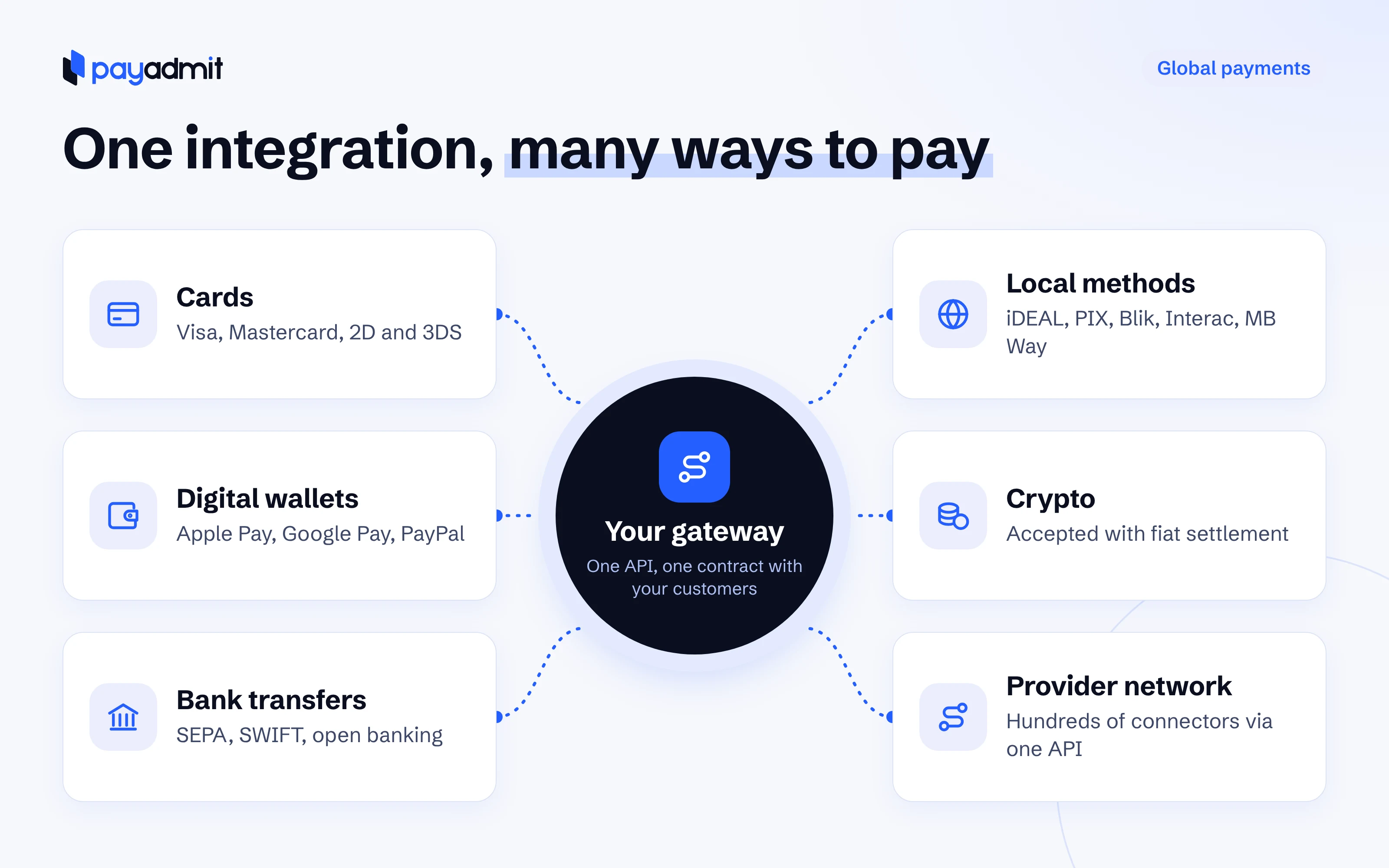
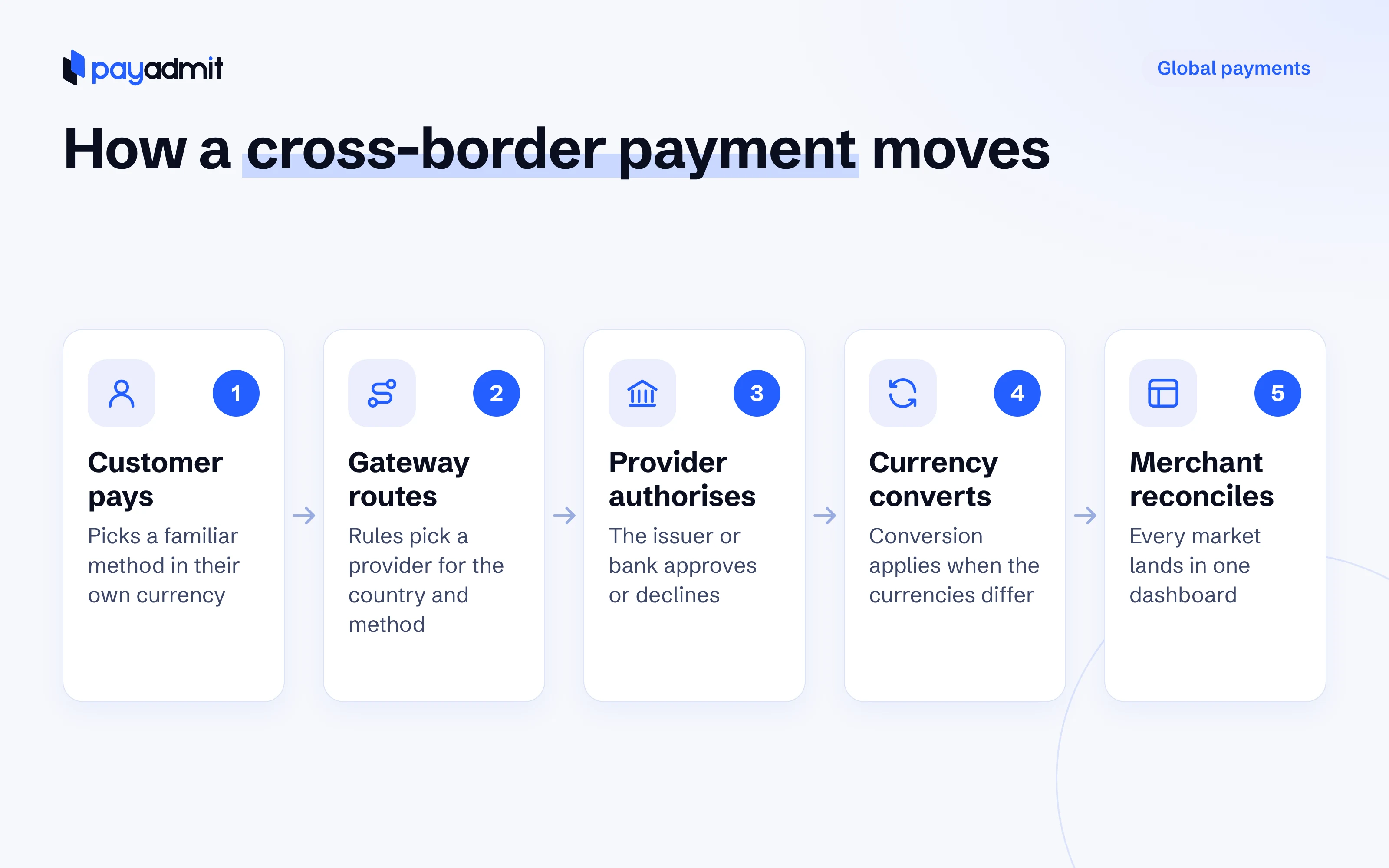
A web payment gateway carries payment information from checkout to the provider that handles the request. It helps shield sensitive details from the business’s own systems. The gateway can also pass back an approval, a decline, or a request for more checks. Customers usually see only a short wait before the result appears.
Gateways can support saved payment details, refunds, and links to shopping carts. Some offer tools for recurring bills or payments in more than one currency. Check which features are part of the plan and which cost extra. A simple feature list can prevent surprises later.
For example, a customer buys a $40 item on a phone. The gateway sends the payment details through a protected path. The processor asks the card network and bank for approval. The business then gets a result and can mark the order for delivery.
A gateway does not make every payment succeed. A bank may decline a valid customer, or a connection may fail. Good systems show clear error messages and let a customer try another method. That can prevent a small checkout issue from ending a sale.
ACH web payments start when a customer agrees to pay from a bank account. The business or its payment provider sends an electronic request through an ACH participant. The request moves through the network to the customer’s bank. The bank checks the account and may accept or reject the request.
ACH is often used for repeat payments because businesses can set a schedule with customer approval. A monthly service might collect the same amount on a set date. Variable bills may need a clear notice before each debit. Keep a record of the customer’s permission and the agreed terms.
ACH is not instant in every case. Funds may take a few business days to arrive, and a bank can return a payment. Plan the due date with that delay in mind. The Nacha overview of the ACH Network explains how this U.S. payment network moves funds between bank accounts.
ACH can lower costs for some businesses, but compare the full fee schedule. Ask about return fees, monthly charges, and any limits. Also check how the provider handles failed debits. A low headline rate may not tell the whole story.
Start with the ways your customers want to pay. Check whether the provider supports cards, ACH, and the wallets your buyers use. Then compare fees for your typical order size and payment mix. A clear quote should list percentage fees, fixed fees, refunds, and extra service charges.
Test the checkout from a phone and a computer before you commit. Look for short forms, clear steps, and useful error messages. Ask how the service connects to your store, accounting tools, or billing system. A smooth setup can save staff time each week.
Support matters when a payment fails or funds go missing. Find out when help is available and how quickly the provider replies. Check whether you can view payment status, issue refunds, and export reports. Try these tasks in a test account if one is offered.
| What to check | Questions to ask |
|---|---|
| Fees | What do cards, ACH, refunds, and chargebacks cost? |
| Ease of use | Can customers pay with few steps on a phone? |
| Security | How are card details protected and fraud flagged? |
| Fit | Does it work with your store and billing tools? |
| Support | How can staff get help with a stuck payment? |
Do not choose on price alone. A low-cost service may lack a payment type your buyers expect. A hard checkout can also lead to abandoned orders. Weigh the fee against the time saved and the payment options gained.
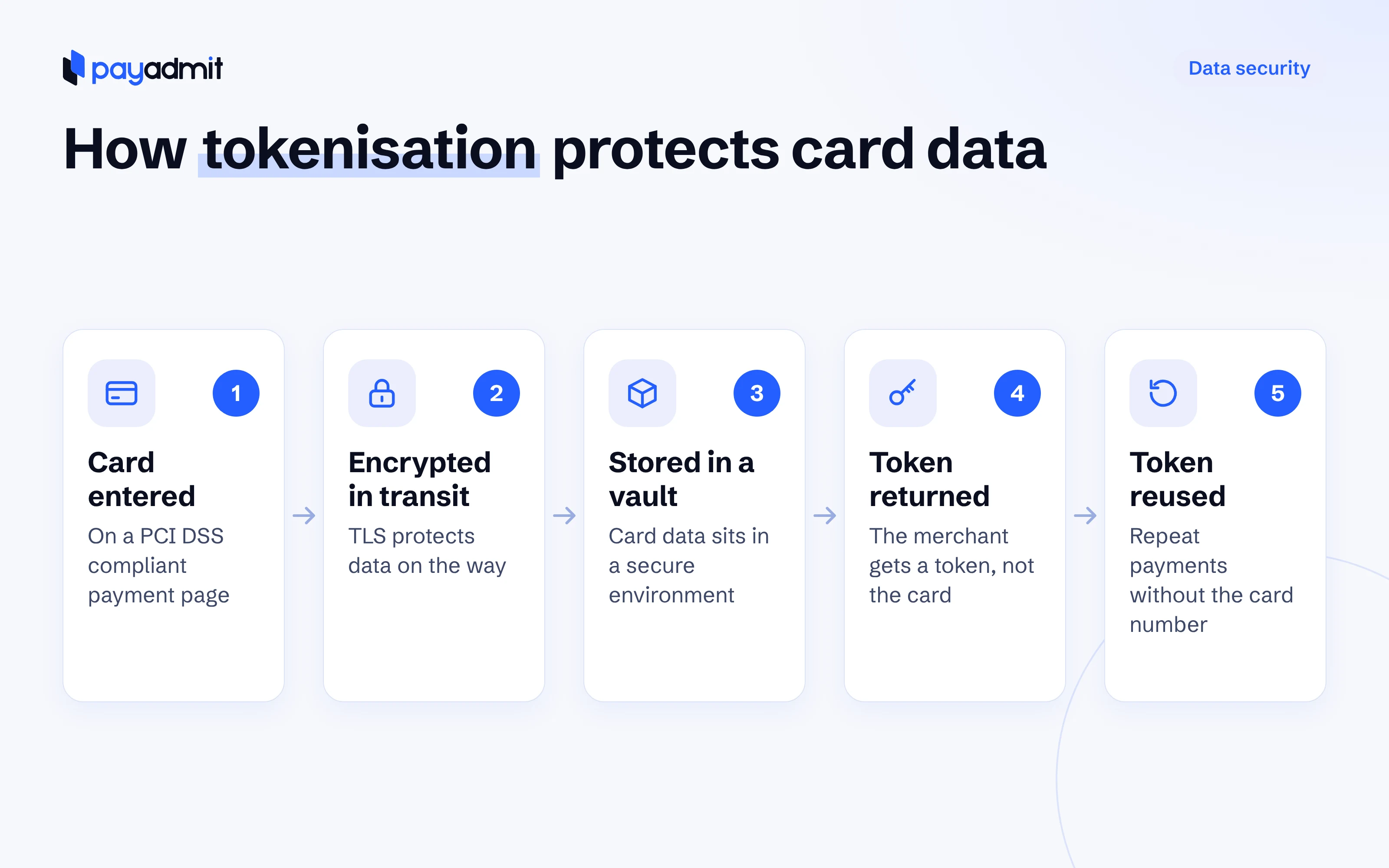
Encryption helps protect payment details as they move between a customer, a website, and a provider. Tokenization replaces card details with a token that is less useful if stolen. Many businesses use hosted checkout pages so their own systems do not handle raw card data. Ask the provider what data your site will store.
PCI DSS is a set of security rules for organizations that handle card data. Using a gateway does not automatically remove every duty from a business. The steps you must take depend on how your checkout works. The PCI Security Standards Council’s PCI DSS information is the source for the card data security standard.
Fraud tools can flag unusual orders, repeat attempts, or mismatched details. Some systems let a business set rules for when to ask for extra checks. Too many checks can block real buyers, so review declines as well as fraud losses. Use the least friction that still fits your risk.
Limit staff access to payment records and use strong sign-in steps. Keep website software up to date and remove access when a staff member leaves. Ask vendors how they report security issues and handle an incident. A written response plan helps teams act fast.
Mobile checkout and digital wallets are now key parts of online payment systems. Customers expect to pay without retyping the same details on every visit. Wallet support can help meet that need, especially on phones. Businesses should still offer another option for customers who do not use a wallet.
Payment tools are also adding better links between checkout, billing, and order records. This can reduce manual work and make payment status easier to track. Yet a new feature only helps if it fits the business and its buyers. Review usage and costs before making a change.
Choose a system that supports the payment types your customers need, with fees you can explain. Check its security, support, and fit with your current tools. Then test the full checkout, from payment to refund. That is the best way to find gaps before customers do.